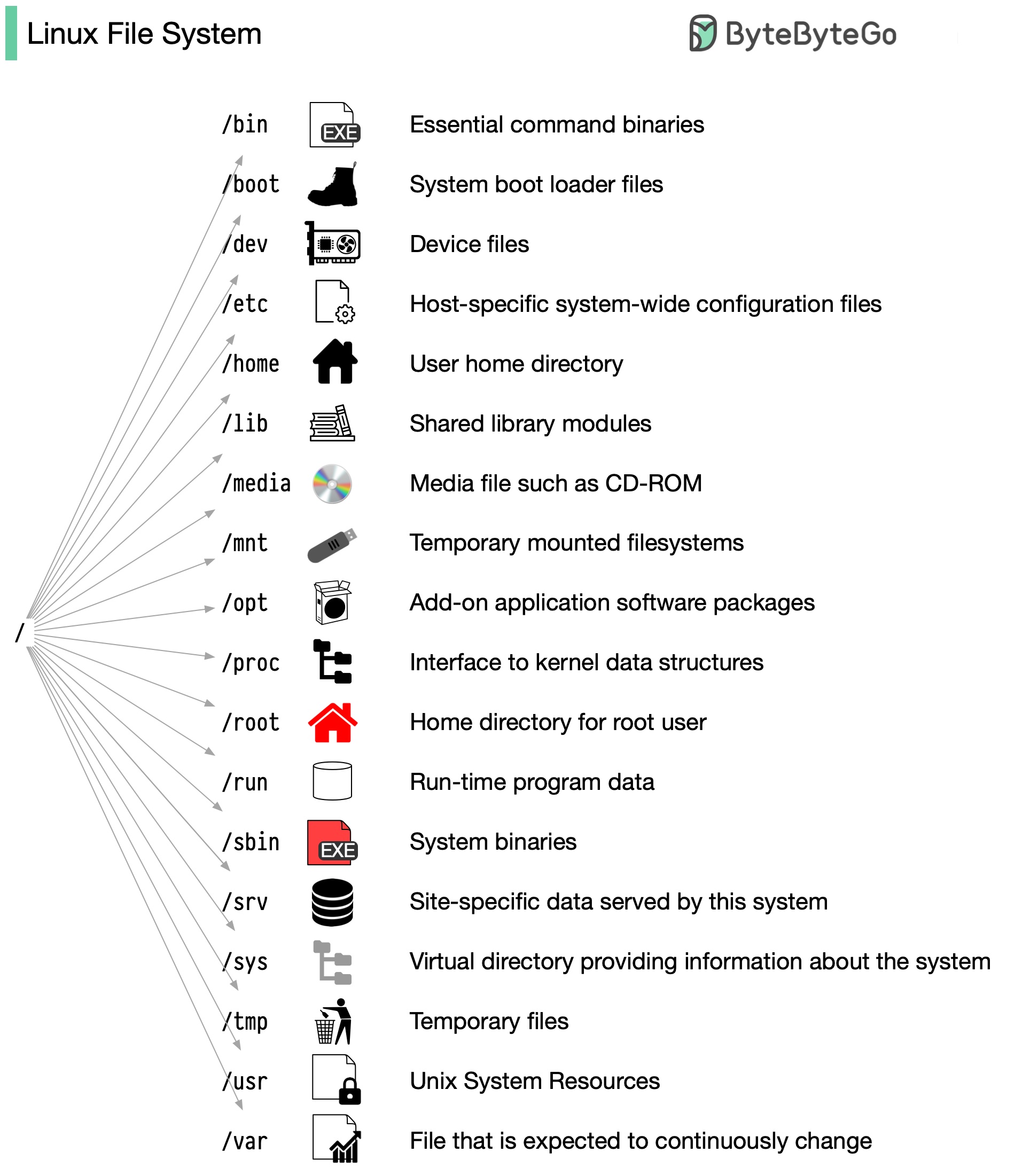
The Linux file system used to resemble an unorganized town where individuals constructed their houses wherever they pleased. However, in 1994, the Filesystem Hierarchy Standard (FHS) was introduced to bring order to the Linux file system.
By implementing a standard like the FHS, software can ensure a consistent layout across various Linux distributions. Nonetheless, not all Linux distributions strictly adhere to this standard. They often incorporate their own unique elements or cater to specific requirements.
To become proficient in this standard, you can begin by exploring. Utilize commands such as "cd" for navigation and "ls" for listing directory contents. Imagine the file system as a tree, starting from the root (/). With time, it will become second nature to you, transforming you into a skilled Linux administrator.
Software Installation Locations
A common question is "where should I install software?" The answer depends on who manages it:
| Method | Location | Example |
|---|---|---|
| System package manager (apt) | /usr/bin, /usr/lib | sudo apt install git |
| Third-party standalone software | /opt | Google Chrome, Sublime Text |
| User-compiled/downloaded binaries | ~/ or /usr/local | Custom neovim build |
The core principle: who maintains it?
- System-level (shared by all users, maintained by root) →
/opt - User-level (you manage it, only you use it) → anywhere under
~/
For user-level software, a workflow like ~/workspace/software/neovim/ + symlink to /usr/local/bin/nvim works perfectly fine.
What does /opt stand for?
/opt is short for optional. Per FHS (Filesystem Hierarchy Standard), /opt is reserved for third-party add-on software that is not part of the base system. Google Chrome and Sublime Text go here because they are not part of Linux — they are "optional" additions the user chooses to install.